Hi I'm James and I play bass in the
birmingham-based post-hardcore band: I, The Dreamer
and I'm Matt and I play guitar
and am one of the vocalist in the band.
We're going to take you through the recording
process behind our debut EP as well as
going through the ID14 and other Audient
products that help us record it.
So we decided to record this EP home because
we've been to other studios before,
external studios, and whilst we did think they were
really good we felt that we could
have a go at doing this ourselves.
So our first experience with Audient was using
the ASP8024, a big console and it
was in one of the studios at university.
When you finish doing a three-year
course on Music Technology and you are
used to using all this big gear you can't
purchase all of that over those three years
and take home with you, so you got to
have some form of bedroom alternatives
to then keep up the same kind of standards
that we were getting at university, at home.
So the iD14 really did that.
Ok so now if we go through the different recording processes.
So the most difficult instrument
for recording on a low-budget and to record yourself is drums
Because they are loud and they take up space
and they need a lot of microphones to capture.
We were very lucky, we got space
at the University which is a very nice
isolated space and what we did was brought
the ASP800 down with us.
So we used: kick, snare
tom, tom, and overheads.
On our tracks
all our overheads just clean recorded
cymbals with a low cut at about 600 Hertz
and all the rest of the drums are a
mix between live drums and boosted by
some samples to give it a bit more
of a nice consistent sound.
So when we record Bass, we go straight through the DI
and we try to put it
through whatever amp simulation we're
putting on it there and then, and we try to
find the tone, for Bass at least, on the spot.
We just set the buffer size in
Logic to as short as possible
There's no latency, its just
playing along to the drums, and it's just as
tight as if you were playing through an amp.
When we record the guitars, similar to how we
record the bass, we put them through a
plug-in simulation.
We have recorded with
cabs and amps in the past and but then
again going back to some of these
disadvantages of recording in your bedroom,
it's all about noise isolation and
room acoustics when you're recording those so
I think that's why we elected to go for
a simulation over attempting to get
really good cab recording.
Yeah because obviously the main
benefit of using a plug-in is
once you've got that nice clean signal
coming in through the DI, you can change
to whatever tone you want.
It's too simple and too easy to not to if you're in a
situation like us, with limited
resources and limited time.
I think the most important thing for us when recording bass and
guitar, is just to ensure that we get a
very clean signal, and we get that with the iD14.
So for vocals, this is
the first time we are using a microphone in this room.
So it is very important that
we try to eliminate
noise from outside as much as possible.
We haven't got loads of professional
noise isolation gear so what we do is we
use a mattress, stick that in front of
Alex or me, whoever's singing, just to
try and eliminate reflections as much as
possible because again we want to try
and get a really clean unprocessed sound so
that we can add and have complete
control over what effects like reverb and delay, later.
We run the vocal microphone into input 2
and then we run this little bad boy
just a nice little SM58 just on the desk and
straight into input 1 and we assign
that as the talkback.
What that means is
when you hit the ID button
it Dims everything in the headphones and lets
the microphone come through very clearly, which is
great for giving cues, feedback and just
keeping everyone on the same page as
what's going on next.
We tend to use two microphones
we use the Rode NT2a
condenser mic for clean vocals.
And we use the SM7B for the scream vocals.
And yeah, we just think they work really well
not too expensive as well.
Going back to what we're saying we first started doing
vocals in this room is we are really hard
pressed to isolate vocals and reduce all
the background noise that's going on.
So any noise needs to be minimized and the
iD14 does really really well at keeping it clean.
It's difficult to listen with
fresh ears when you're there doing every process.
So when Matt and I mix, we do separate it.
So Matt gets it to a stage then Matt is
no longer involved, and I do a mix of it.
The outputs of iD14 give a really accurate
representation of the sound coming out of your mix
so if there's anything wrong with your mixing,
then you can hear it and you can correct it
and there are there are some
pieces of gear out there which just add that
little bit of noise just listening
which hide the fact you've got problems with your mix.
iD14 has been really good for us.
Just two channels both with phantom power,
really good DI, speaker and headphone out
which is really clear, and a good interactive interface.
It's just been easy.
It's just made our lives easier.
 For more infomation >> John McDougall, MD: Vitamin B12 (Croatian subtitles) - Duration: 1:11.
  For more infomation >> 【風靡全越南】-Anh Muốn Em Sống Sao (妳想要讓我怎麼活)?【猴子哥哥+黃勇誌+黃猴子】【猴子哥哥】【猴子就是黃猴子】【猴子哥哥的精心設計】【依依說又來了】 - Duration: 4:21.
 For more infomation >> Artist Zayn Malik Live
 For more infomation >> man cut cow in jammu - Duration: 2:05.
 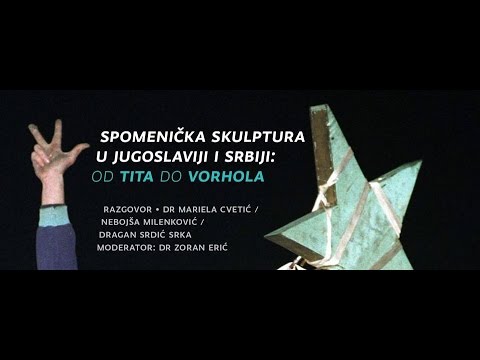 For more infomation >> Razgovor "Spomenička skulptura u Jugoslaviji i Srbiji: Od Tita do Vorhola" - Duration: 1:24:45.
 For more infomation >> Wohnsitzerfordernis bei EU-Führerschein und trotzdem noch in Deutschland gemeldet? - Duration: 1:24.
  For more infomation >> Dạy con học số - Dạy con học đếm bằng video hoạt hình - Duration: 5:56.

 For more infomation >> Wiadomość od twórców | Zdobądź flagę (napisy PL) - Duration: 11:27.
  For more infomation >> just say you won't let go. - Duration: 2:01.
 For more infomation >> Tribal voice - Hanno iniziato a picchiare tutti - Duration: 1:13.
  For more infomation >> MODEUGE 17 | Q/A med INs chefredaktør Anne Axholm - Duration: 0:51.
  For more infomation >> RAPIDLASH SERUM REVIEW || Subt ESP - Duration: 6:36.


 For more infomation >> Audi – fizyka wyścigów. Kitzbühel Mausefalle. - Duration: 2:32.
  For more infomation >> Audi – fizyka wyścigów. Kitzbühel Hausbergkante. - Duration: 2:11.
 For more infomation >> Branka Klisura, jurist - Duration: 0:56.
 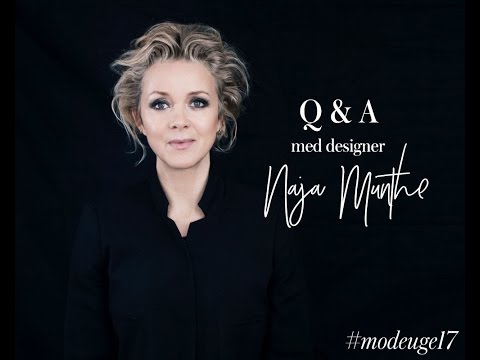 For more infomation >> MODEUGE 17 | Q/A med INs chefdesigner Naja Munthe - Duration: 1:09.
  For more infomation >> Peugeot 1007 1.6 16V SESAM SPORTY * AUTOMAAT * CLIMA * LMV * - Duration: 0:41.
  For more infomation >> 【まこ】嵐-Still... 踊ってみた【宝さがしゲーム】 - Duration: 4:24.
  For more infomation >> Audi – fizyka wyścigów. Kitzbühel Steilhang. - Duration: 2:15.
  For more infomation >> Mercedes-Benz 200-280 (W123) 200-280 (W123) 200 2E EIGENAAR TOPZUSTAND - Duration: 1:21.
  For more infomation >> Suzuki SX4 1.6 EXCLUSIVE AUT (Automaat,Airco,Keyless) . - Duration: 1:18.
No comments:
Post a Comment