Ok cue the Star Wars Music….
Ready for a cool DIY speedlight modifier?
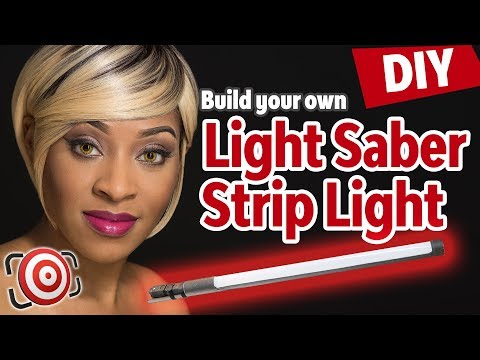
In this video I am going to show you how to make a bigger, brighter, light saber than
any of the ones you see in the Star War Movies - and the bonus… these light sabers are
daylight balanced and great for shooting portraits both in studio and on location.
Stay tuned!
Hey gang!
My name is Joe Edelman and my mission is to help photographers like YOU to develop a solid
understanding of the HOWS & WHYS behind great photography so that you can achieve your goals
as a photographer.
Light modifiers come in all shapes and sizes and indeed the cooler they are the more they
tend to cost.
As I have shown you in the past - the only thing that makes one modifier better than
another is how well it solves a problem in any given situation.
If you understand light and the Inverse Square Law you can work with inexpensive modifiers
and do the same things that the more expensive ones do.
Remember this video about creating beauty dish light with a cheap shoot through umbrella?
Recently Broncolor - the Swiss lighting company announced what they call an ultra-portable
light shaper called the Litepipe P. This is a 49" 360 degree light modifier with a 6.7"
diameter that works only on Broncolor strobes and sells for a mere $1,289.60 at B&H photo.
But it does come with a case.
I don't see a lot of use for the 360 degree spread in still photography, but the Litepipe
P has attachable reflectors that turn it into a long strip light.
So this is kind of a cool concept.
but at twelve hundred dollars and limited to use on Broncolor strobes… its pretty
much worthless to most of the photography community.
If you like this idea - there is a company in Florida called Saberstrip.
Designed by a photographer - for photographers, the Saberstrip is a speedlight modifier made
from military grade phenolic tubing and high tension spinnaker cloth.
The Saberstrip is 39 inches long with a diameter of 3.24 inches and it weights just 1lb 2oz
without the flash installed.
The way the Saberstrip works is that you unscrew the cap - mount your speedlight and insert
the entire speedlight into the tube.
Now in my opinion - that's a design flaw.
Once your strobe is inside that tube - you can't access the controls.
Not all speedlight flashes will fit inside the Saberstrip and depending on your triggering
system - you have to attach the receiver to the outside of the tube and run the cable
into the tube.
Even for a lot of the smaller hotshoe type receivers - you have to purchase special cords
to get them to work inside the tube.
Saberstrip does give compatibility guidance and cord recommendations on their website.
I have a link in the description below.
The Saberstrip sells for $135.00 and it is available for order in the US, Canada, Europe
and Australia.
Light modifers of this type can be a nice addition to a photographers lighting arsenal.
Obviously the Saberstrip that works with your existing speedlights at $135.00 makes much
more sense than the twelve hundred dollar LitePipe that requires you to also use Broncolor
strobes - but for me, spending even $135.00 for something that will only get occasional
use is hard to justify so I set out to create my own DIY light strip light saber modifier
and along the way - I came up with a few feature tweaks that I feel make it even more versatile
than the others on the market.
1 - 3" x 60" Kraft mailing tube with end caps.
2 - 1" x 12" Hook and loop cable tie down straps
1 - 24" x 48" in.
sheet of white translucent plastic film - which by the way will allow you to make as many
as 4 light sabers.
1 - Tripod screw holder adapter 1 - Flash speedlight umbrella holder
1 - 1" flat washer 1 - 1/4 20 x 1" screw
You will also need a jigsaw, table saw or a very sharp utility knife to make the cuts.
additionally, there are three supplies that you either already have or will be able to
use for multiple projects….
Black Gaffers tape, White Spray Paint and Super Glue.
With the design of the Saberstrip in mind, I wanted to find a solution that would allow
me to access the controls of my speedight without having to remove it from the tube.
I was also concerned about mounting the entire weight of the unit by the end cap - the end
caps that come with the mailing tubes are thin plastic so I knew that wouldn't work.
Since the tubes are 60" long I decided to use the whole tube.
You could certainly cut it down to 48 or 36 inches and have a small strip modifier.
I measured 8.5 inches from one end of the tube then cut out half of the tube to make
the tray for my speedlight.
You can see here that I used two - two by three boards as a guide to draw the lines
on the tube that needed to be cut.
Then from this cut out I measured 6 inches further down and market that spot.
I then measured two inches in from the other end of the tube and marked that spot.
If you want to narrow the spread of light from your strip - you can make this opening
thinner.
I measured mine using the same 2x3" boards
The next step is a quick coat of white paint on the inside of the tube.
Once the paint dries it's time to cover the tube with the black gaffers tape.
My original plan had been to paint the outside - but the gaffers tape was faster - looks
just as good and it has a texture that makes it easier to grip the modifier.
It is important to paint the inside of the tube otherwise your modifier will not be giving
you daylight balanced light because of the brownish yellow color or the cardboard tube
Next up I super glued the two hook and loop cable ties to the unit to hold the speedlight
in place.
Next I strapped in the speedlight and balanced the tube on my finger to find its balance
point.
This is a very important step so take your time and do it right.
I marked the balance point and drilled a hole for the 1/4" 20 screw.
Simply placed a washer over the hole - inserted the screw and attached the tripod screw holder
adapter and tightened as much as possible.
It is super important that you do this with your speedlight attached to the unit otherwise
you will be placing unnecessary stress on the cardboard tube when you try to balance
it on a stand.
Last step - cut a piece of the stiff translucent film - in this case I cut it 6" wide by
48" long.
Then simply curl it - slide it into the opening of the tube and release.
If you want to make it permanent - a few drops of super glue will hold it for good.
Last steps - add the end cap so that light doesn't shoot out the end of the tube and
add the speedlight umbrella holder and for just over $20.00 you have built your own speedlight
light saber with a 44" opening that weighs only two and a half pounds without the speedlight.
You can mount it vertically or horizontally and the adjustable speedlight umbrella holder
let's you set up in just about any angle or position you want to.
And since it's lightweight - it will easily work on compact light stands without wobbling.
The tube is also wind resistant meaning it's not going to blow around outside like a big
softbox would.
and you can access the controls of your speedlight - without having to remove it from the unit.
Here is the light spread that you get with the light saber in a vertical position at
3 feet from a gray background and here is what you get in a horizontal position at the
same distance.
For vertical shots - I tend to place my speedlight at the top - as opposed to the bottom so that
any amount of shadow will be created from light above my subject - not below.
I find that the light tends to be slightly brighter closer to the flash.
Not a lot - but still brighter.
Here is a simple one light portrait.
I have Monae seated about 5 feet in front of a black Savage seamless paper background.
The light strip is placed on camera right with a LumoPro LP180R speedlight at the top.
You can see that I have the majority of the strip placed above her eyes because I still
want the light to be falling from above.
Here is the same setup with a Walmart reflector added on camera left as a fill.
and here I have added a second light strip on camera left as a fill instead of the reflector
In this last shot I added a third LumoPro LP180R on a short stand behind Monae and aimed
up at the black backdrop to get this gray gradient effect for a little more separation.
Same background - different outfit and hairstyle I went with two light strips in a clamshell
set-up - one below Monae and one above.
I still have the background light on the short stand in this shot.
In this set-up you can see that I have two lights - one on either side of her - but what
I have done is angled them towards her at the bottom.
This keeps the light a little brighter on the top and uses the bottom of the light strip
to create a fill giving me an almost clamshell lighting type of effect.
Then just to show you a few more variations on this v-shaped set-up.
Here I have the background light at the same low power and added an orange gel.
And then I still have the orange gel but dialed the power of the speedlight up to half power.
Like I always show you - the possibilities are endless.
I can even take this same set-up - remove the orange gel from the background light and
switch to a white seamless paper backdrop and get this as a final result.
Same lighting arrangement as the last shot - I only changed the background and turned
up the power of the background flash.
While we are working with a white background I can go back to the clamshell set-up - one
above and one below and add a fan and get a glamour look like this.
So there you have it an hour and a half of your time, less than $25.00 out of your pocket
and you can have a cool strip light - light saber modifier that works in studio or on
location.
It is durable, lightweight and wind resistant and…. you could always use it as a prop
for your next Star Wars inspired theme shoot!
I hope that sparks some ideas for you, take this idea and run with it - go create and
show me what you come up with.
If you build your own - please do share some photos of it along with your results in my
Facebook group.
The link is in the description below.
Please hit that thumbs up and subscribe so that you don't miss any videos and until
next time go pick up that camera and shoot something because your BEST shot - it's
your NEXT shot, so keep learning, keep thinking, keep shooting.
Adios!



 For more infomation >> Tierra Whack - Mumbo Jumbo
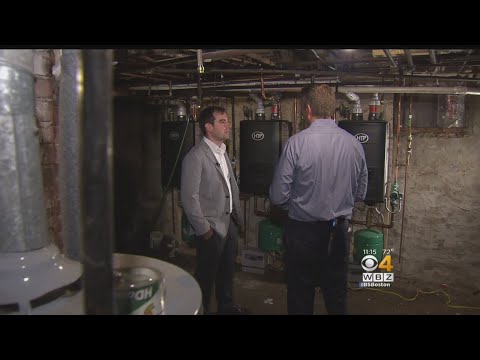 For more infomation >> I-Team: After Expensive Energy Upgrades, Consumers Struggle To Get Promised Mass Save Rebates - Duration: 2:46.
 For more infomation >> Hyundai Getz 1.3I GLS | Automaat | Airco | Cruise Control | Trekhaak | outlet | - Duration: 1:00.

 For more infomation >> Dark Souls 3| BOSS RUSH LET"S GO!!!!! - Duration: 3:48:59.
  For more infomation >> চুলায় Hidden Love Biscuit/Valentine Cookie /How to make heart cookies slice/ Love Biscuit in Bangla - Duration: 8:02.
  For more infomation >> 7 alimenti che possono causare calcoli renali - Duration: 3:18.
  For more infomation >> 김성민 이한나 아내 재혼 등 정리, 뉴스공장 - Duration: 5:38.
  For more infomation >> 전유성 부인(아내)진미령,전유성 이혼 이유와 재결합, 뉴스공장 - Duration: 4:44.
 For more infomation >> Actress Kiersey Clemons Stands with Bears Ears National Monument and Tribal Nations - Duration: 0:52.
  For more infomation >> munamarthya - Duration: 0:03.



 For more infomation >> DRDO CHIEF IS HOPEFUL ABOUT ARJUN MARK II GETTING ACCEPTED - Duration: 2:34.
  For more infomation >> Nueva edicion y clash royale {leer descripcion} - Duration: 5:16.
 For more infomation >> Você Precisa Voltar à Fonte - Duration: 21:53.
 For more infomation >> TECNOLOGIA, ESPORTE E LAZER - Duration: 3:57.
 For more infomation >> KOREA TRAVEL 2015 [Haruchigi] @ Jebudo # 1 / Hoontamin - Duration: 4:47.

No comments:
Post a Comment